Blog/Industry tips/Get-a-Quote Chatbots: How Trades & Service Businesses Are Closing More Jobs
Get-a-Quote Chatbots: How Trades & Service Businesses Are Closing More Jobs

Get-a-Quote Chatbots: How Trades & Service Businesses Are Closing More Jobs

A plumber, electrician, and cleaner walk through how Pivra's Pricing Rules feature lets their chatbot quote visitors automatically — turning late-night enquiries into confirmed jobs.

·7 min read·The Pivra Team

Getting a quote used to mean a phone call, a site visit, and a wait. Customers didn't love it. And for tradespeople, quoting jobs that didn't convert was dead time.

A new pattern is emerging among small trades and service businesses: the get-a-quote chatbot. Instead of asking visitors to call or fill out a form, the website chat widget asks a few targeted questions and delivers a ballpark price on the spot.

Visitors who get an instant estimate are significantly more likely to convert. They've been validated, they know roughly what they're up for, and they're ready to book.

Here's how three businesses set it up using Pivra's Pricing Rules feature — and what they'd tell you if you asked.


What are Pricing Rules?

Pricing Rules is a Pivra feature (available from the Starter plan at $39/mo AUD) that lets you configure price ranges or fixed prices for services, tied to inputs the chatbot collects.

The chatbot asks qualifying questions — job type, size, location — and then references your Pricing Rules to give a response like:

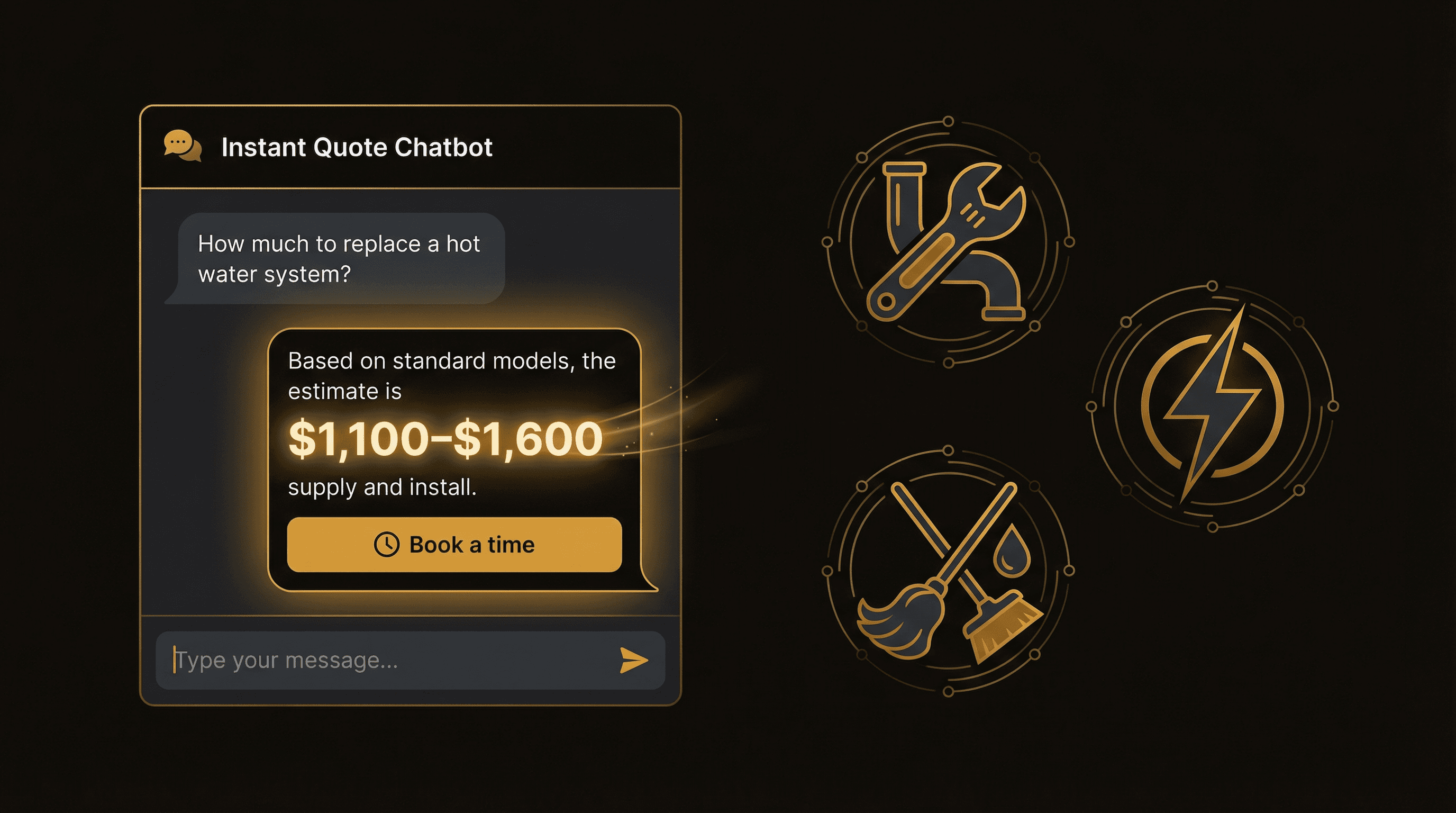
"Based on what you've described, a standard hot water system replacement typically runs $1,200–$1,800 supply and install. That includes labour and disposal. Want to lock in a time?"

The visitor got a real answer. You're not on the phone. And the lead is warm.


Case study 1: The plumber

Business: Solo plumber, outer Brisbane suburbs
Problem: Spending 2–3 hours a day answering "how much does X cost?" calls — and not converting many of them
Setup time: 45 minutes

What he configured

He listed his most-requested jobs in Pricing Rules:

JobPrice range
Tap replacement (standard)$180–$260
Hot water system — electric$1,100–$1,600
Hot water system — gas$1,400–$2,200
Blocked drain — CCTV + clear$350–$550
Toilet suite replacement$400–$650
Bathroom rough-in (per point)$280–$380

The chat flow

When a visitor types "how much to replace my hot water system?", the bot runs through:

  1. "Is it electric or gas?"
  2. "Standard size (135–160L) or larger?"
  3. "What suburb are you in?"

Then it returns the price range from his Pricing Rules, notes that the final price depends on access and existing pipework, and offers to book a free 15-minute consult to nail down the exact number.

The result: He stopped fielding price calls. Enquiries that come in now are pre-qualified — they know the rough cost, they're in his service area, and they're ready to move forward.


Case study 2: The electrician

Business: Licensed electrician, 3-person team, southern Sydney
Problem: After-hours enquiries were leaking — people found the website at 9pm, couldn't get an answer, and called someone else in the morning
Setup time: 1 hour (including installing the widget)

What she configured

She broke her Pricing Rules into categories:

Emergency / urgent:

  • After-hours callout (first hour): $280–$350
  • Fault finding: $180–$260/hr

Planned work:

  • Safety switch installation: $220–$320
  • Switchboard upgrade (standard): $1,800–$3,200
  • EV charger installation: $900–$1,600
  • New power point: $150–$220

Inspections:

  • Pre-purchase electrical inspection: $380–$480

The after-hours win

She set the bot to specifically acknowledge time-of-day context for urgent enquiries:

"For after-hours emergency work, our callout rate is $280–$350 for the first hour. If you've lost power or have a safety concern, leave your details and one of our team will call you back within 30 minutes — even tonight."

The result: The first week the bot was live, she woke up to three leads from the previous evening — two after-hours emergencies and a switchboard upgrade enquiry. All three converted to booked jobs.


Case study 3: The house cleaner

Business: Residential cleaning, sole operator, Melbourne inner north
Problem: Time wasted on quotes for houses that were too big, too messy, or out of area
Setup time: 30 minutes

What she configured

Cleaning pricing is volume-based, so she set it up differently — the bot collects inputs and calculates a range:

Property typeBedroomsBase range
Apartment1–2 bed$180–$240
Apartment3 bed$230–$300
House3 bed$280–$380
House4–5 bed$360–$480
End of lease / bondAny+$80–$150 on base
Oven cleanAdd-on+$60
Inside windowsAdd-on+$40

The bot asks: "Is it a house or apartment?", "How many bedrooms?", "Is this a regular clean or end of lease?" — then returns the range.

She also added a service area qualifier at the start: "What suburb are you in?" — and the bot only continues if the suburb is in her list. Otherwise it politely declines and suggests she can refer them to another cleaner.

The result: Zero out-of-area enquiries. Quote calls dropped by 70%. Bookings through the bot are pre-qualified on price, location, and job type.


How to set up Pricing Rules in Pivra

Step 1: List your most-requested jobs

Don't try to capture everything. Start with the 5–10 questions you answer every week. These are your pricing rules.

Step 2: Add ranges, not fixed prices

Unless your pricing is truly fixed, use ranges. Visitors understand that the final price depends on specifics — they just want a ballpark so they can decide whether to proceed.

Step 3: Configure in Pivra

  1. Go to your chatbot → Pricing Rules
  2. Click New Rule
  3. Add a job name, price range (min/max), and any qualifying conditions (e.g. "only show if suburb is in service area")
  4. Repeat for each service

Step 4: Train the chatbot on your rules

Pivra's AI references your Pricing Rules when relevant questions come up. You can also add a plain-text version to your knowledge base — something like a "Services and Pricing" document — so the bot can answer nuanced follow-up questions.

Step 5: Set up lead capture after the quote

The moment after a visitor gets a quote is your best conversion window. Configure the bot to offer next steps immediately:

"Want to lock in a time? I can show you our available slots this week — takes about 2 minutes."

Or for higher-ticket jobs:

"For a more accurate quote, I can book you in for a free 15-minute call with [Name]. What day works?"


What a get-a-quote chatbot does to your pipeline

BeforeAfter
10 calls a week on pricing2–3 calls a week (complex jobs only)
Many leads don't know your pricingLeads arrive pre-qualified on price
After-hours enquiries lostAfter-hours enquiries captured and priced
Quote follow-up is manualAgentic Flows handles 24hr follow-up

The biggest change most businesses notice: the quality of inbound leads improves. People who come through the chatbot already know the ballpark. They've self-selected. The conversation you have with them is about booking, not explaining costs.


Pricing

Pricing Rules is available from the Starter plan ($39/mo AUD). It's one of the most-used features on that tier — most service businesses see payback within the first month in time saved on quote calls alone.

Start free — build your chatbot, add your pricing rules, and embed it on your site. No code. No developer. Most businesses are live in under an hour.

pricing rulesget a quotetradesplumberelectriciancleanerquote automationservice business

More articles

View all →